
Insights
Does Beni Need the Internet? Local Recording
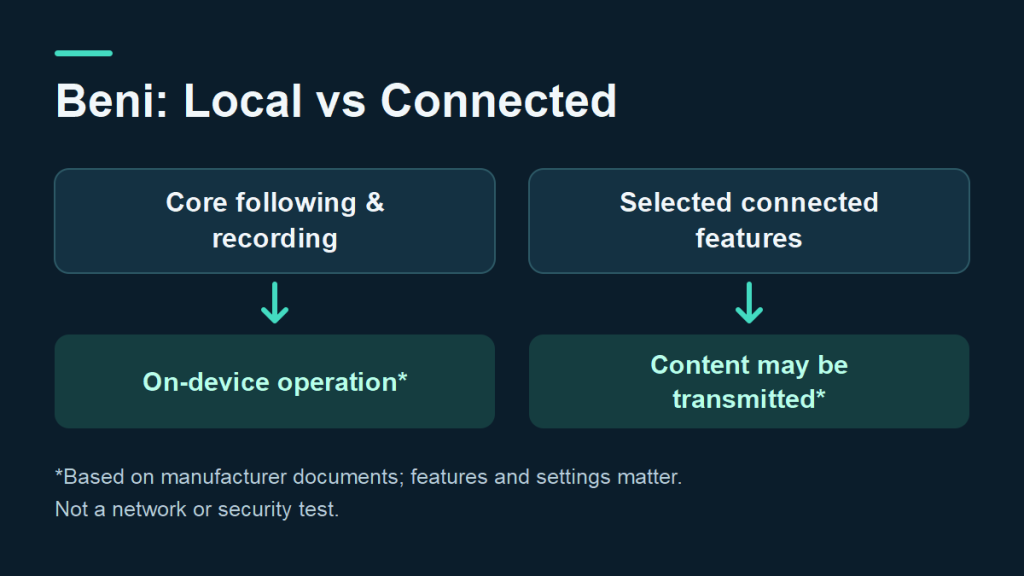
Product guide · Information checked September 9, 2026
Does Beni need an Internet connection? The useful answer depends on the task. Following a subject, keeping a recording, managing footage and using an online editing service are separate activities. Understanding those steps helps readers ask more precise questions about how they intend to use a camera robot.
The cover is a conceptual explanation of published documents, not a verified diagram of Beni’s software or network traffic.
Start with the core recording functions
Mondo Robotics describes Beni’s core following and filming as on-device functions that do not require Internet access. Its homepage lists internal storage and a microSD slot, and presents AI editing as an optional connected feature requiring permission. These are manufacturer statements, not findings from a TUOLAN network test. Read the manufacturer’s product FAQ.

Read connected features separately
The official privacy policy, updated September 4, covers the wider App, device and service experience. It says captured content may be transmitted when users choose activities such as uploading, syncing, sharing, providing support material or using cloud-connected features. Processing depends on the feature and settings. Read the current privacy policy.
| Activity | Question to check |
|---|---|
| Record a scene | Where is the original file saved? |
| Manage footage | Does the selected action copy locally, upload or share? |
| Use AI editing | What content will the chosen service process? |
| Request support | What files or diagnostic details are being submitted? |
The policy also describes permissions that the App may request, including Bluetooth, local network, location, camera, microphone and photo or storage access. Which permission matters depends on the function selected. This does not establish that every permission is required for every use. See the device-permissions section.
A practical way to evaluate the workflow
Before a first filming session, write down the intended sequence: capture, review, transfer, edit and share. For each step, identify the destination you expect for the footage. This makes a manufacturer demonstration easier to assess because each question relates to a concrete action.
During setup, compare the actual prompts with that plan. Keep unanswered questions specific: for example, whether a particular transfer action works without an Internet connection. Ask the manufacturer to explain any unclear step before relying on it for an important shoot.
Local recording does not, by itself, describe every connected service. The distinction above explains the published documents; it is not a security assessment or a claim that all product data always stays offline.
Compiled from publicly available Internet sources for general reference. TUOLAN has not independently tested Beni. Features, permissions and policies may change; consult current manufacturer documentation.
Related: Beni specifications, uses and imaging trade-offs · Beni shipping-plan update · Camera robot sourcing support.
For a B2B sourcing assessment, contact sales@tuolango.com.